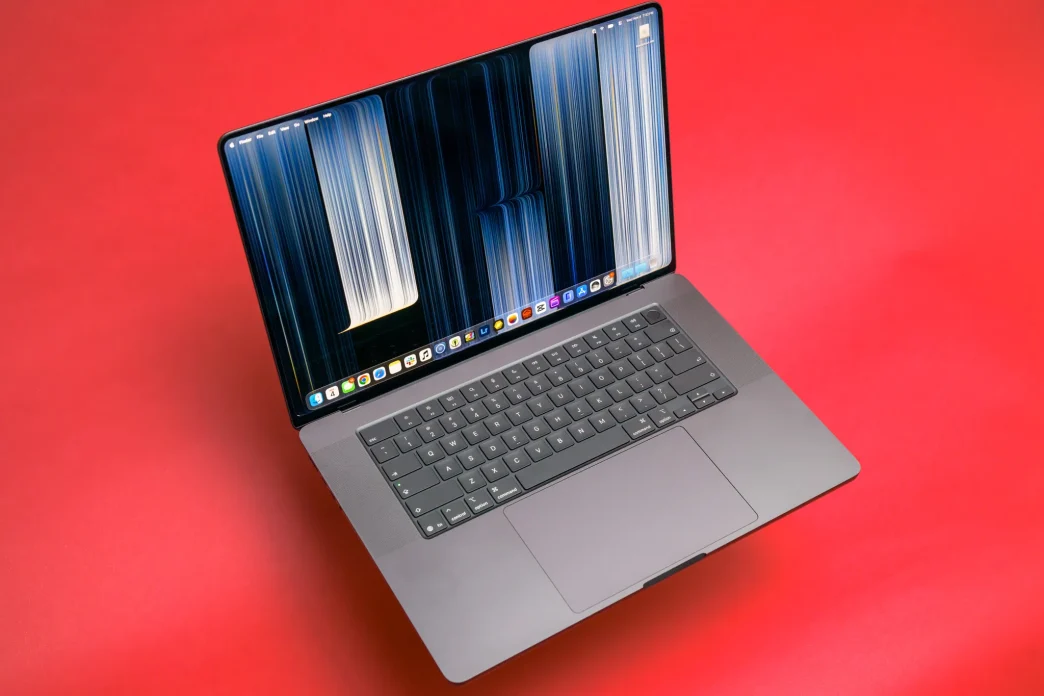
Apple has released its first Mac with a touchscreen, the MacBook Pro with PROLED XDR Display. It is a high-end addition to the lineup rather than a replacement for the standard MacBook Pro, and it arrives with a tandem OLED panel, thinner chassis, lighter weight, and a starting price that is $400 above the equivalent non-OLED model. After the first round of reviews, the consensus is clear: even if you rarely touch the screen, the rest of the package makes a strong case for itself.
The display is the real headline
The PROLED XDR Display uses two stacked OLED layers, a tandem OLED design Apple first introduced in the 2024 iPad Pro. The result is a screen that can turn individual pixels completely off for true black, producing deeper shadows and higher contrast than the mini-LED panels in other MacBook Pros. Apple rates the display at 1,000 nits of sustained full-screen brightness and 2,000 nits at peak for HDR content.
Reviewers have described the panel as genuinely striking, with punchy colors and strong uniformity from corner to corner. For photographers, video editors, and other professionals who rely on color accuracy, the wider color range and sub-millisecond control over luminance make the machine a portable reference monitor. Support for ProMotion variable refresh rates up to 120Hz and a new genlock feature for syncing with an external camera round out the display credentials.
Touch is optional, not essential
The touchscreen is the feature Apple is advertising, but it is not the reason most buyers will want this laptop. Reviewers report reaching up to tap or swipe only a small fraction of the time. The trackpad and keyboard remain the primary way to use macOS, and Apple has not overhauled the operating system to make it finger-friendly. Instead, touch exists as an option that is available when you want it.
That said, there are moments when direct manipulation is genuinely useful. Swiping through photos, tapping a paused video to resume playback, dismissing a notification, or using iPhone Mirroring with a fingertip can feel more natural than reaching for the trackpad. Pinch-to-zoom and double-tap-to-fill gestures work as expected. But there are also limitations: there is no onscreen keyboard that appears automatically, no Apple Pencil support, and the multi-finger gestures do not replace the precision of the trackpad.
Design changes beyond the screen
Beyond the panel, Apple has trimmed the machine down. The 14-inch model weighs 3 pounds, half a pound lighter than the standard MacBook Pro, while the 16-inch model drops to 4 pounds, a reduction of about six tenths of a pound. The laptops are also slightly thinner and have slimmer bezels around the display.
The notch has been replaced by a Dynamic Island, the same pill-shaped cutout found on recent iPhones. On this Mac it anchors Spotlight and Siri AI interactions, shows Now Playing controls, and surfaces Live Activities. A redesigned hinge is meant to keep the screen steadier when you do use touch.
Apple has also brought back the glowing logo on the lid, a design flourish last seen on MacBook Pros before the 2016 redesign. Its brightness matches the screen brightness and adjusts for ambient light.
Performance and audio
The new machines use the same M5 Pro and M5 Max chips available in the standard MacBook Pro, so raw performance is comparable. Memory and storage options are generous, with configurations reaching up to 128GB of RAM and 16TB of SSD storage. The M5 Max is now Apple's fastest laptop chip, though the M5 Ultra remains limited to the desktop Mac Studio because of cooling requirements.
Apple has redesigned the six-speaker audio system with a new woofer that promises 50 percent deeper bass. The result is impressive for movies and television, though some reviewers found the added low end too boomy for music, podcasts, and spoken content. There is no easy software equalizer to dial the bass back.
Pricing and positioning
The MacBook Pro with PROLED XDR Display sits firmly at the luxury end of Apple's laptop range. The 14-inch M5 Pro model starts at $2,899, the 14-inch M5 Max at $4,499, the 16-inch M5 Pro at $3,399, and the 16-inch M5 Max at $4,799. Every configuration costs $400 more than the equivalent MacBook Pro with a mini-LED display.
That pricing makes the machine a deliberate choice for professionals who will benefit from the OLED panel and reduced weight, rather than a mass-market upgrade. For everyone else, the standard MacBook Pro remains in the lineup with the same chips and a lower price.
Bottom line
Apple's first touchscreen Mac does not redefine how most people will use a laptop. Touch is a nice extra, useful in specific situations, but the trackpad still dominates. What makes the new MacBook Pro compelling is the display itself, along with the lighter body and the small but welcome design refinements. If you are already in the market for a top-tier Mac and the OLED screen matters to your work, the premium is easier to justify. If you are hoping for an iPad-like transformation of macOS, this is not it.